
QML Platform uses Structured Search Spaces that are defined using grammars
A grammar has 4 pieces of information:
- Terminals – entities that can be evaluated: numbers, attributes, factors, groups, existing alphas
- Non-terminals – entities that cannot be evaluated; they had to be further derived into expressions containing only terminals. Non-terminals are marked with square brackets, e.g., [Attr]
- Productions – to each non-terminal there are assigned a number of productions that described how can the non-terminal be derived.
- Initial Symbol (denoted [StartSymbol]) indicates how to start the derivation of a new expression
Example of Grammar
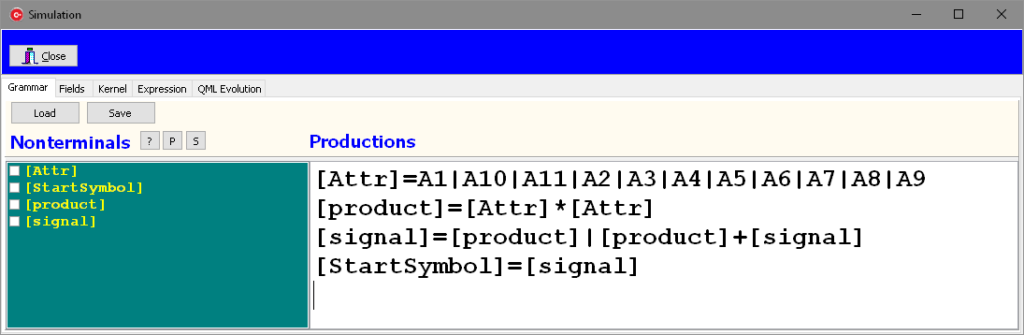
The first line displays 11 productions associated to the non-terminal [Attr]. That means that [Attr] can be derived in any of the attribute A1-A11 (which represent loaded data). Multiple productions defined for the same non-terminal can be defined using pipe separated right hand sides.
Note the third production. It allows a [signal] to be derived into something containing another copy of itself.
Here is one possible derivation for the following expression:A8*A2+A6*A8.
[StartSymbol]
=[signal]=[product]+[signal]
=[Attr]*[Attr]+[signal]
=A8*[Attr]+[signal]
=A8*A2+[signal]
=A8*A2+[signal]
=A8*A2+[signal]
=A8*A2+[Attr]*[Attr]
=A8*A2+A6*[Attr]
=A8*A2+A6*A8
Grammars can be tested from the Expression Tab.
First we can check the grammar by clicking the Show Grammar button:
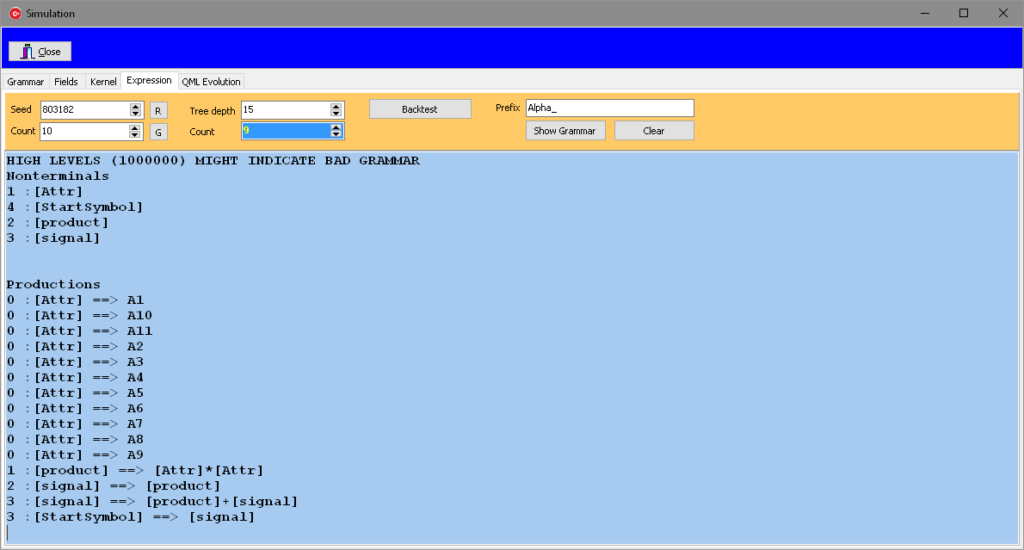
The numbers appearing on the left, in front of all non-terminals and all productions indicate the minimum number of derivations needed to reach a terminal expression. Negative numbers indicate errors in the definition of the grammar and need to be fixed.
To test the grammar press the G button. You should see some expressions that are generated by the grammar. At this point the expressions are not evaluated. To evaluate them click Backtest, and you have the expressions in the Task form and you can evaluate them now.
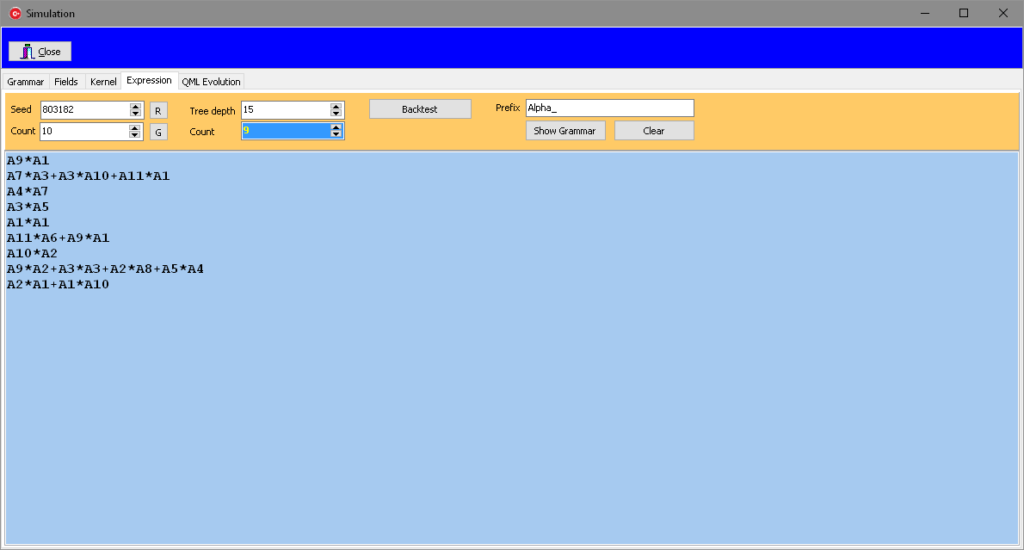
Grammars could be as complex as one can imagine. As soon as operations and functions are added to productions, the complexity increases.
The Fields Tab offers the tools to quickly define new productions, including function in the kernel, allowing the grammar to use most of the functionality of available to the interactive user in an automated way.
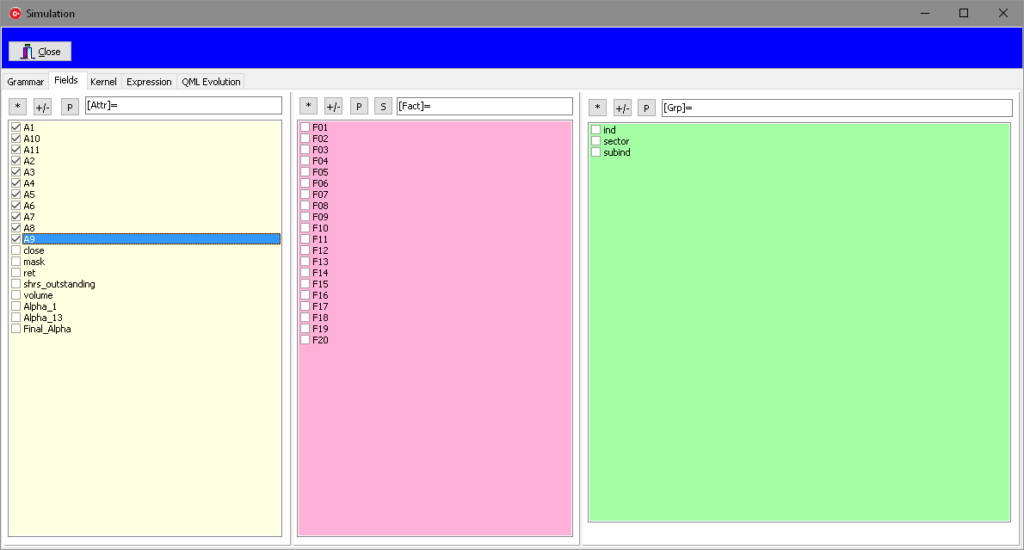
For instance, click the button P from the attribute column to generate:
[Attr]=A1|A10|A11|A2|A3|A4|A5|A6|A7|A8|A9
Similar actions are available for Factors and Groups.
Factors have also a Set (S) button. That will generate comma separated lists that can be used inside functions that use the [portSet] non-terminal.
Productions using the functions form the kernel can be generated from Kernel Tab.
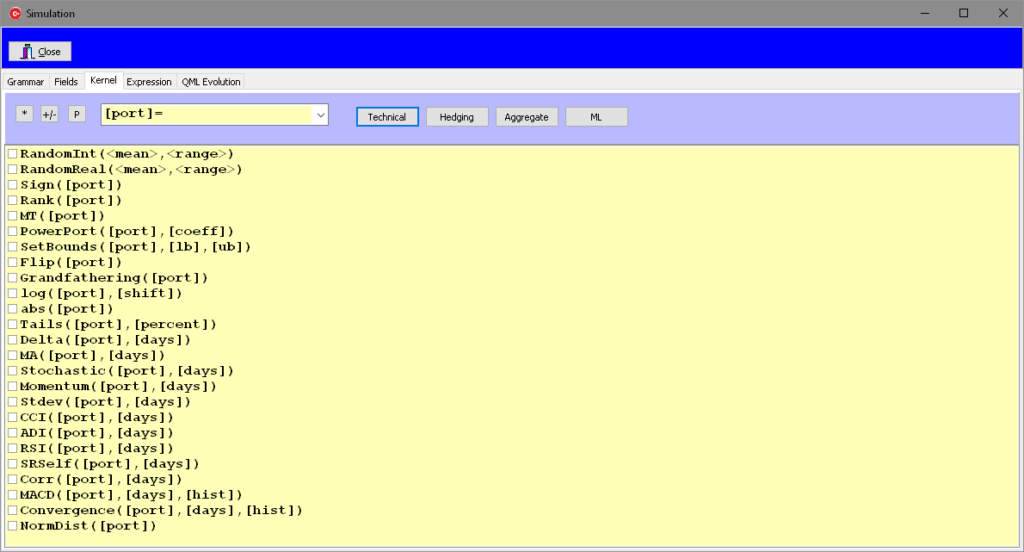
There are four categories of functions that can be activated from their corresponding button:
- Technical
- Hedging
- Aggregate
- Machine Learning
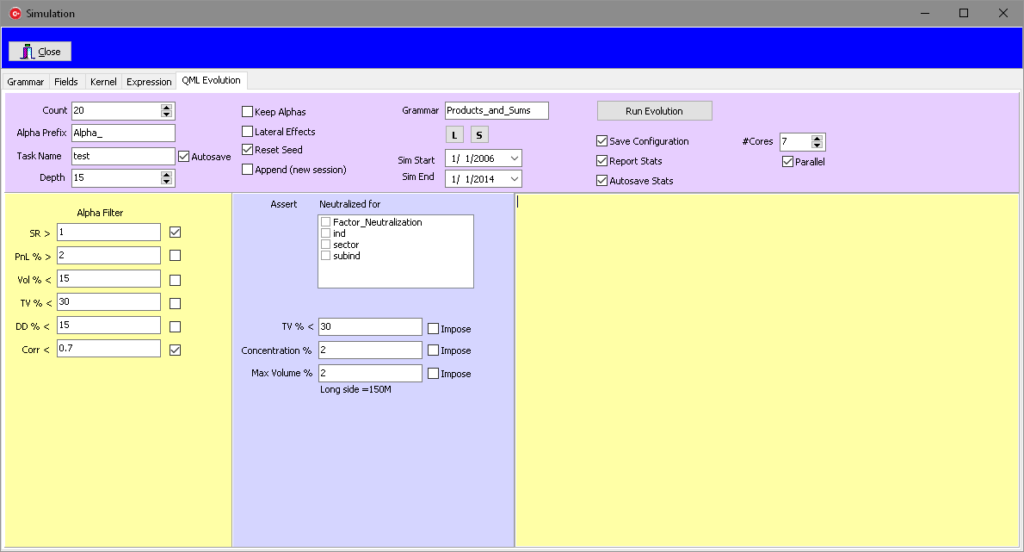
Once the grammar was defined and saved, from the QML Evolution Tab, a set of parameters can be set to defined the search space:
- Depth of the derivation – forces expression to limited complexity
- Lateral Effects – allows subexpressions (internal leaves of the derivation tree) to be evaluated
- Neutralized for – defines the post- processing steps.
Some of the parameters are used for defining the simulation environment (name of the grammar and of the task, time interval for learning, number of CPUs used).
The Alpha Filter parameters define the conditions needed to be satisfied by one alpha in order to be retain as a successful finding.